
Check Any Electricity Bill in Pakistan Instantly
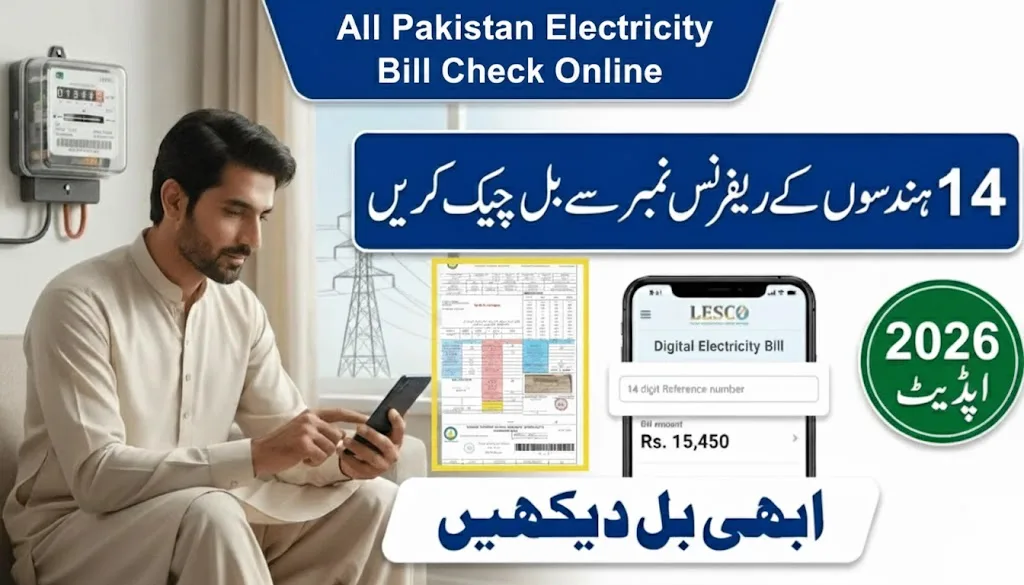
Managing electricity bills across Pakistan has become remarkably simple in 2026. Whether you’re in Lahore, Faisalabad, Multan, or any other city, you can now check your electricity bill online within seconds using just your 14-digit reference number. No more waiting for paper bills or visiting offices.
This comprehensive guide covers all major electricity distribution companies in Pakistan, showing you exactly how to check your bill online, understand charges, and pay conveniently from anywhere.
What Are Pakistan’s Electricity Distribution Companies?
Pakistan’s electricity distribution system operates through multiple regional companies, each serving specific areas:
Major DISCOs (Distribution Companies):
- LESCO – Lahore Electric Supply Company (Lahore, Sheikhupura, Okara, Kasur)
- FESCO – Faisalabad Electric Supply Company (Faisalabad, Jhang, Chiniot, Toba Tek Singh)
- MEPCO – Multan Electric Power Company (Multan, Bahawalpur, Sahiwal, Vehari)
- IESCO – Islamabad Electric Supply Company (Islamabad, Rawalpindi, Attock, Jhelum)
- GEPCO – Gujranwala Electric Power Company (Gujranwala, Sialkot, Narowal, Hafizabad)
- PESCO – Peshawar Electric Supply Company (Peshawar, Mardan, Swat, Abbottabad)
- HESCO – Hyderabad Electric Supply Company (Hyderabad, Mirpurkhas, Badin)
- SEPCO – Sukkur Electric Power Company (Sukkur, Khairpur, Ghotki, Shikarpur)
- QESCO – Quetta Electric Supply Company (Quetta, Zhob, Loralai, Sibi)
- K-Electric – Karachi Electric (Karachi only)
All these companies now offer online bill checking services for 2026, making it easier than ever to manage your electricity expenses.
How to Check Your Electricity Bill Online (Step-by-Step)
The process is identical across all distribution companies. Here’s how to check your bill instantly:
Step 1: Find Your Reference Number
Your 14-digit reference number appears on every previous electricity bill. Look for it in the top-left corner, usually labeled as “Reference No” or “Consumer ID.”
Important tips:
- The reference number is always 14 digits long
- Customer ID is typically 10 digits (either works)
- Write it down or save it on your phone for future use
- Never share this number with unauthorized persons
Step 2: Visit the Online Portal
For January 2026, you can check your bill through:
- Official DISCO websites (bill.pitc.com.pk)
- Third-party verified portals specific to your company
- Mobile apps (LESCO Smart, MEPCO Smart, etc.)
Step 3: Enter Your Details
Simply type your reference number in the provided field and click “Check Bill” or “Submit.” Within 2-3 seconds, your complete bill information will appear.
Step 4: View and Download
Once your bill loads, you can:
- View the total amount payable
- Check the due date
- See units consumed
- Download a PDF copy
- Print a duplicate bill
- Review payment history
No registration, no login, and completely free!
Understanding Your Electricity Bill Components
Every electricity bill in Pakistan contains several standard charges. Understanding these helps you manage costs better:
Basic Charges
Units Consumed: The difference between current and previous meter readings, measured in kilowatt-hours (kWh)
Energy Charges: The primary cost calculated by multiplying units consumed by your tariff rate (varies by consumer category – Domestic, Commercial, Industrial)
Fixed Charges: Monthly connection maintenance fee, regardless of consumption
Additional Charges and Taxes
FPA (Fuel Price Adjustment): Reflects changes in fuel costs for electricity generation. This amount fluctuates monthly based on international oil prices.
QTA (Quarterly Tariff Adjustment): Applied every three months to adjust for operational costs and inflation.
TR Surcharge (Tariff Rationalization): The difference between rates set by NEPRA (regulator) and actual costs. When costs exceed approved rates, this surcharge covers the gap.
FC Surcharge (Financing Cost): Typically 43 paisa per unit, charged to cover debt servicing costs of power sector loans.
GST (General Sales Tax): Currently charged at varying rates depending on consumption levels and consumer category.
TV Fee: Rs. 35 monthly fee for Pakistan Television (PTV). Note: The government recently announced plans to abolish this charge.
Income Tax: Applied to consumers exceeding 300 units monthly, deducted at source.
Late Payment Surcharge: Additional penalty if you pay after the due date (usually 5-10% of the bill amount)
Special Bill Features
Deferred Bill: Some consumers receive the option to split their bill into installments without late charges, particularly during economic relief programs.
PM Relief Package: Introduced during the coronavirus pandemic, this allowed qualifying consumers to defer payments without penalties.
Where to Find Your Reference Number on the Bill
Many people struggle to locate their reference number. Here’s exactly where to look:
Location: Top-left corner of your electricity bill
Near these labels:
- “Reference Number”
- “Reference No”
- “Consumer Number”
- Located directly below the “TARIFF” heading
The reference number is your unique identifier – no two connections share the same number. It remains constant even if you change your name or meter.
Complete Payment Options for 2026
Once you’ve checked your bill online, Pakistan offers numerous convenient payment methods:
Digital Wallets (Fastest Method)
Easypaisa:
- Open Easypaisa app
- Tap “Bill Payments”
- Select your electricity company
- Enter reference number
- Confirm payment
JazzCash: Similar process through the JazzCash mobile app
SadaPay & NayaPay: Newer digital wallets also support all DISCO bill payments
Advantages: Instant processing, SMS confirmation, payment history tracking, available 24/7
Mobile and Internet Banking
All major Pakistani banks support electricity bill payments:
- Habib Bank Limited (HBL)
- United Bank Limited (UBL)
- MCB Bank
- Allied Bank
- Meezan Bank
- Bank Alfalah
- Faysal Bank
- Standard Chartered
Process:
- Login to your bank’s mobile app or website
- Navigate to “Bill Payments” or “Utility Bills”
- Select electricity company
- Enter reference number
- Verify amount and confirm
ATM Machines
Visit any ATM of authorized banks:
- Insert your debit/ATM card
- Select “Bill Payment”
- Choose your electricity company
- Enter 14-digit reference number
- Confirm payment amount
- Collect receipt
Bank Branches and Authorized Centers
You can still pay traditionally at:
- Any branch of authorized banks
- Official DISCO customer service centers
- 1LINK enabled payment counters
- Post office branches (selected locations)
Online Payment Platforms
Daraz dBills: Pakistan’s largest e-commerce platform offers bill payment with occasional discount vouchers
1LINK Bill Payment: Unified platform connecting all banks and DISCOs for seamless payments
ePay Punjab: Government initiative for online bill payments in Punjab
Benefits of Online Bill Checking in 2026
The digital transformation of Pakistan’s utility billing system offers multiple advantages:
Instant Access: Check bills 24/7 from anywhere with internet connection
Avoid Late Fees: Always know your due date, preventing costly surcharges
Budget Planning: Track consumption patterns and plan monthly expenses better
No Paper Dependency: Never worry about lost or undelivered bills
Duplicate Bills: Download and print copies anytime needed
Payment History: Access records of previous months for reference
Environmental Impact: Reduces paper waste and carbon footprint
Transparency: Clear breakdown of all charges and taxes
LESCO Online Bill Check – Detailed Guide
Since LESCO serves Pakistan’s most populous region (Lahore and surroundings), here’s a specific guide:
Coverage Areas
LESCO supplies electricity to approximately 6 million consumers across:
- Lahore (all zones)
- Sheikhupura District
- Okara District
- Kasur District
How to Check LESCO Bill Online
Official Portal: bill.pitc.com.pk/lescobill
Alternative: Multiple verified third-party websites offer LESCO bill checking
Mobile App: Download “LESCO Smart” app from Google Play Store
Process:
- Enter your 14-digit reference number
- Click “Check Bill”
- View complete bill details instantly
- Download PDF or take screenshot
LESCO Bill Parameters Explained
A typical LESCO bill shows:
- Consumer name and address
- Tariff category (Domestic/Commercial/Industrial)
- Current and previous meter readings
- Units consumed this month
- Energy charges based on slab rates
- All applicable taxes and surcharges
- Due date and after-due-date amount
- Load shedding exemption status (if applicable)
LESCO Customer Support
Helpline: Call 118 (National Electricity Complaint Center)
SMS Service: Send complaints to 8118
Email: Available through official website
Walk-in Centers: Customer service centers at all major subdivisions
LESCO Load Shedding Schedule
LESCO publishes monthly load shedding schedules online, helping consumers plan around power outages. Check the official schedule to:
- Know exact timing of outages in your area
- Charge devices beforehand
- Schedule important work accordingly
- Differentiate between scheduled load shedding and technical faults
FESCO Bill Online – Faisalabad Region
FESCO, known as the Manchester of Pakistan’s electricity provider, serves over 4.96 million customers.
FESCO Coverage Cities
- Faisalabad (main city)
- Jhang
- Toba Tek Singh
- Chiniot
- Sargodha
- Khushab
- Mianwali
- Bhakkar
Checking FESCO Bill
Latest Update: New FESCO bills for due date up to January 06, 2026 are now available
Portal: bill.pitc.com.pk/fescobill or fescobills.pk
Mobile App: FESCO Bill Check app on Play Store
FESCO Peak Hours
To reduce electricity costs and support grid stability, FESCO recommends limiting usage during peak hours:
Peak Times:
- Morning: 6:00 AM to 9:00 AM
- Evening: 6:00 PM to 11:00 PM
Benefits of Off-Peak Usage:
- Lower strain on the grid
- Reduced risk of outages
- Better voltage stability
- Potential future tariff benefits
FESCO Helpline
Address: West Canal Road, Abdullah Pur, Faisalabad
Phone: 118 (WAPDA Helpline) or FESCO-specific helpline
MEPCO Bill Online – Southern Punjab
MEPCO serves the largest geographical area in Punjab, covering southern districts.
MEPCO Service Area
The company distributes electricity across:
- Multan
- Bahawalpur
- Sahiwal
- Vehari
- Rahim Yar Khan
- Khanewal
- Lodhran
- Pakpattan
- And 13 other districts
MEPCO Bill Check Process
Portal: bill.pitc.com.pk/mepcobill
Mobile App: MEPCO SMART app (developed by PITC)
The MEPCO SMART app offers unique features:
- Payment status verification
- Check if bills are paid or pending
- Download previous month’s bills
- Real-time complaint registration
MEPCO Helpline
Universal Number: 118
MEPCO Specific: 0800-63726 (toll-free)
Tips to Reduce Your Electricity Bill in 2026
With rising tariffs and inflation, here are practical ways to lower your monthly electricity costs:
Smart Appliance Usage
Air Conditioners:
- Set temperature to 26°C (most efficient)
- Avoid usage during peak hours
- Clean filters monthly
- Use in well-insulated rooms
Refrigerators:
- Keep away from walls for proper ventilation
- Don’t overload with items
- Set appropriate temperature (not too cold)
- Defrost regularly
Lighting:
- Replace traditional bulbs with LED lights
- Turn off lights in unoccupied rooms
- Maximize natural daylight usage
- Use task lighting instead of lighting entire rooms
Energy-Saving Habits
- Unplug devices when not in use (avoid standby power consumption)
- Use ceiling fans instead of AC when weather permits
- Iron clothes in batches to minimize heating cycles
- Use pressure cookers instead of regular pots (faster cooking = less energy)
- Keep refrigerator door closed as much as possible
- Air-dry clothes instead of using dryers
Investment in Efficiency
- Install solar panels (government offers net metering)
- Buy energy-efficient appliances (check star ratings)
- Improve home insulation to reduce AC usage
- Consider energy-saving power strips
Monitor Consumption
- Check your bill monthly to track usage patterns
- Compare with previous months
- Identify sudden increases (may indicate faulty meter or appliance)
- Use online bill calculators to estimate costs before consumption
New Electricity Connection in 2026
Planning to get a new electricity connection? Here’s what you need to know:
Online Application System
All DISCOs have launched the unified Electricity New Connection (ENC) portal at enc.com.pk
Process:
- Visit enc.com.pk
- Select your DISCO
- Fill online application form
- Upload required documents
- Submit application
- DISCO representative will visit for site survey
- Provide original documents during survey
- Pay connection charges
- Meter installation within specified timeframe
Required Documents
- Original CNIC (applicant)
- Property ownership documents
- NOC from housing society (if applicable)
- Site plan/map
- Previous electricity bill (if transfer of connection)
Connection Charges (2026)
Single Phase (Load up to 3kW):
- Material cost: Rs. 4,000 (up to 40 meters)
- Additional cost: Rs. 200 per meter (41-100 meters)
- Security deposit: Rs. 3,660 (urban) / Rs. 1,830 (rural)
Three Phase (Load up to 5kW):
- Material cost: Rs. 15,000 (up to 40 meters)
- Additional cost: Rs. 260 per meter (41-100 meters)
- Security deposit: Rs. 6,100 (urban) / Rs. 3,050 (rural)
Change of Name
To transfer an existing connection to your name:
- Apply at enc.com.pk
- Provide proof of property ownership
- Submit sale deed or transfer documents
- Pay applicable transfer fee
- Update CNIC details
Understanding Bill Payment Status
Want to verify if your payment was successful? Here’s how:
Check Payment Status
Method 1 – Mobile App: Most DISCO apps (LESCO Smart, MEPCO Smart) show payment history and status
Method 2 – Next Month’s Bill: Previous month’s payment appears in the “Payment History” section
Method 3 – Bank Statement: Check your bank/wallet transaction history for confirmation
Payment Not Reflecting?
If you paid but it’s not showing:
- Wait 24-48 hours for processing
- Keep payment receipt/transaction ID
- Contact DISCO helpline with payment proof
- Visit customer service center if issue persists
Common Electricity Bill Issues and Solutions
Issue 1: Bill Not Showing Online
Solution:
- Verify you entered the correct reference number (no spaces)
- Bills typically upload 2-3 days after meter reading
- Check alternative official portals
- Contact DISCO if bill is significantly delayed
Issue 2: Extremely High Bill
Possible Causes:
- Increased consumption (check meter reading)
- Faulty meter (request inspection)
- Estimated billing (meter reader couldn’t access)
- Accumulated arrears from previous months
- Higher FPA charges due to fuel price increases
Action:
- Compare meter readings with your own record
- Lodge complaint through helpline
- Request meter testing
- Apply for installment plan if facing financial difficulty
Issue 3: Bill Shows “Deferred” Status
Meaning: You have the option to split payment into installments without late charges
Decision: Choose between paying full amount now or splitting into future bills
Issue 4: Duplicate Bill Not Downloading
Solutions:
- Try different browser (Chrome, Firefox)
- Clear browser cache and cookies
- Use mobile app instead
- Take screenshot of bill display
- Print directly from browser
Issue 5: Late Payment Surcharge Added
Prevention:
- Always pay before due date
- Set phone reminders for due date
- Enable email notifications if available
- Check bill at least 5 days before due date
E-Kachehri: Online Complaint Resolution
In 2026, several DISCOs have launched virtual complaint resolution systems:
What is E-Kachehri? Monthly electronic meetings between consumers and DISCO management to address issues without office visits.
How to Participate:
- Visit your DISCO’s official website
- Register your complaint before the scheduled date
- Provide reference number and contact details
- Attend virtual session at designated time
- Present your case to officials
- Receive resolution commitment
Issues Addressed:
- Billing errors
- Meter problems
- Connection delays
- Load shedding complaints
- Staff misconduct
- Voltage fluctuations
Bill Calculator Tools – Estimate Before Consumption
Most DISCOs now offer online bill calculators to help you estimate monthly costs:
How It Works:
- Visit DISCO’s bill calculator page
- Enter expected units to consume
- Select your tariff category
- Calculator applies current rates and taxes
- Displays estimated bill amount
Benefits:
- Budget planning
- Compare cost of different appliances
- Set consumption targets
- Avoid bill shock
Note: Calculators provide estimates only. Actual bills may vary due to FPA, taxes, and other adjustments.
Mobile Apps for Electricity Bill Management
Each major DISCO offers dedicated mobile applications:
LESCO Smart App
- Check bill by reference number
- View payment history
- Lodge complaints
- Track meter reading
- Load shedding schedule
MEPCO Smart App
- Bill checking and download
- Payment status verification
- Complaint registration
- Previous bills archive
- Consumer registration
IESCO Mobile App
- Online bill access
- Email bill service subscription
- Save multiple reference numbers
- Single-click bill checking
General Features Across Apps
- Available free on Google Play Store
- No subscription fees
- User-friendly interface
- Secure data handling
- Regular updates
Electricity Tariff Slabs 2026
Understanding tariff slabs helps you manage consumption wisely. Here’s how it works:
Domestic Consumer Slabs (Example):
- 0-50 units: Lower rate
- 51-100 units: Medium rate
- 101-200 units: Higher rate
- 201-300 units: Even higher rate
- Above 300 units: Highest rate + income tax
Key Point: Higher consumption pushes you into higher-rate slabs, dramatically increasing per-unit cost.
Example:
- 150 units: Average cost Rs. 18/unit
- 350 units: Average cost Rs. 35/unit
Strategy: Keep consumption below 300 units to avoid highest slab and income tax deduction.
Future of Electricity Billing in Pakistan
Pakistan’s utility sector continues to modernize. Expected developments for 2026 and beyond:
Smart Meters
- Automated reading transmission
- Real-time consumption tracking
- Remote meter reading
- Reduced human error
- Better billing accuracy
Net Metering Expansion
- Feed excess solar power back to grid
- Reduce monthly bills through renewable energy
- Government incentives for solar adoption
- Environmental benefits
Mobile-First Services
- Enhanced app features
- AI-powered consumption advisors
- Predictive billing
- Personalized energy-saving tips
Blockchain Integration
- Transparent billing records
- Tamper-proof payment history
- Reduced disputes
- Faster complaint resolution
Safety Tips and Fraud Prevention
Protect yourself from electricity bill scams:
Official Channels Only
✅ DO:
- Use official DISCO websites and apps
- Pay through authorized banks and wallets
- Keep reference number confidential
- Verify helpline numbers from official sources
❌ DON’T:
- Share reference number on social media
- Pay through unauthorized agents
- Click suspicious email links claiming to be from DISCO
- Provide banking details to unknown callers
Common Scams
Fake Disconnection Threats: Scammers call claiming immediate disconnection unless you pay through their method
Phishing Emails: Fraudulent emails with fake payment links
SMS Scams: Messages offering “special discounts” or demanding immediate payment
Solution: Always verify through official helpline 118 before taking action on suspicious communications.
Conclusion
Checking your electricity bill online in Pakistan has never been easier. Whether you’re a LESCO customer in Lahore, FESCO consumer in Faisalabad, or MEPCO user in Multan, the process remains simple: enter your 14-digit reference number and access your bill instantly.
The 2026 digital infrastructure provides unprecedented convenience with:
- 24/7 online access
- Multiple payment options
- Duplicate bill downloads
- Complaint resolution systems
- Mobile app integration
- Real-time payment tracking
By understanding your bill components, monitoring consumption, and using available digital tools, you can effectively manage your electricity expenses while avoiding late payment penalties.
Remember: Your 14-digit reference number is the key to accessing all these services. Keep it safe, check your bill regularly, and pay before the due date to avoid surcharges.
Frequently Asked Questions
Q: Can I check my electricity bill without a reference number?
No, the 14-digit reference number is mandatory for online bill checking. It’s your unique identifier in the system.
Q: Are online bill checking services free?
Yes, all official DISCO portals offer completely free bill checking with no hidden charges.
Q: How soon after meter reading does the bill appear online?
Typically 2-4 days after the physical meter reading is recorded.
Q: Can I check bills for multiple connections?
Yes, simply use the different reference numbers for each connection. Some apps allow saving multiple reference numbers for quick access.
Q: What if my payment is not reflecting on the next bill?
Wait 48 hours for processing. If still not showing, contact your DISCO helpline with payment proof and transaction ID.
Q: Is there a grace period for bill payment?
Most DISCOs provide a minimum 7-day grace period, though the printed due date is considered the official last date for payment without penalty.
Q: Can I pay my electricity bill from abroad?
Yes, using international debit/credit cards through online banking or digital wallets, provided your bank supports international transactions.
Q: How do I report a billing error?
Call 118, use mobile app complaint feature, or visit your nearest DISCO customer service center with reference number and details.
Q: What happens if I don’t receive my paper bill?
Check online immediately using your reference number. You’re responsible for payment regardless of whether you received the physical bill.
Q: Can I get email notifications for new bills?
Yes, many DISCOs offer email bill subscription services. Register through their official website or mobile app.
For the most accurate and up-to-date information, always refer to your electricity distribution company’s official website or call the national helpline 118.