
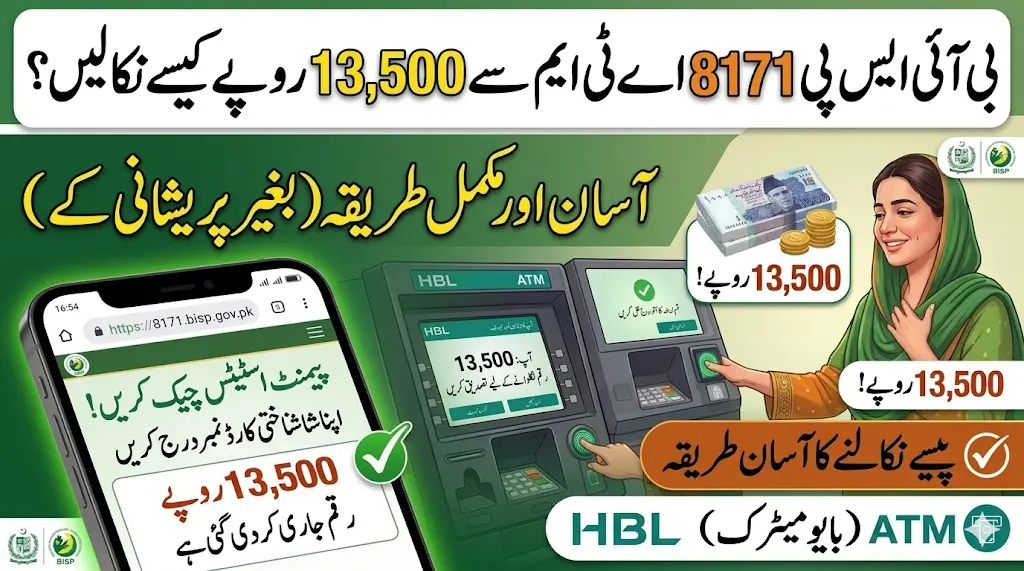
For millions of Pakistani families, the quarterly BISP payment is a lifeline. But receiving that payment without being cheated by agents or facing ATM errors has been a challenge. In 2026, the government has completely transformed the withdrawal system — and this guide explains every method available to you right now.
Whether you prefer withdrawing from an HBL ATM, a Bank Alfalah branch, a JazzCash agent, or directly through an EasyPaisa wallet, this complete BISP 8171 ATM Withdrawal Guide 2026 covers all methods with step-by-step instructions, province-wise details, and safety tips to ensure you receive every single rupee of your payment without any deductions.
BISP 8171 ATM Withdrawal 2026 – Quick Reference Table
| Feature | Details |
|---|---|
| Program | Benazir Income Support Programme (BISP) |
| Payment Amount | Rs. 13,500 – Rs. 14,500 |
| Verification Method | Biometric (Thumb Impression) |
| ATM Partner Banks | HBL, Bank Alfalah, UBL, BOP, Meezan Bank |
| Mobile Wallets | JazzCash, EasyPaisa, 8171 Social Protection Wallet |
| Province-Wise Banks | Punjab/Sindh/Balochistan = HBL · KPK/AJK/GB = Bank Alfalah |
| Status Check | SMS CNIC to 8171 / 8171.bisp.gov.pk |
| Helpline | 0800-26477 (Free) |
| Withdrawal Charges | Completely Free |
| Complaint System | IGMS 2.0 on official BISP portal |
Why the Withdrawal System Changed in 2026 – The Big Upgrade
To stop illegal deductions by retailers, BISP has officially transitioned to a Direct Bank Transfer model in 2026. Beneficiaries no longer have to rely on small shop agents. Authorized banks now include Bank of Punjab (BOP), HBL, Bank Alfalah, UBL, JazzCash, and EasyPaisa. Beneficiaries can use biometric thumb impression at any designated bank ATM to withdraw the full amount without any fees or cuts.
The 2026 upgrade also brought three new features:
Digital Wallet Integration now allows beneficiaries in selected areas to receive payments directly into JazzCash or EasyPaisa wallets after biometric verification. Real-Time Tracking lets you see the exact date and location where your previous installments were withdrawn. The Integrated Grievance System (IGMS 2.0) allows you to lodge a complaint directly on the portal if an agent demands a bribe or your fingerprints fail.
Read Also: BISP Nashonuma Financial Aid 2026
Before You Go to the ATM – Do This First
The most important rule: Never visit any payment location without first confirming your payment is released.
Step 1 — Check Your Payment Status
Via SMS:
- Open your mobile messages
- Type your 13-digit CNIC (no dashes or spaces)
- Send to 8171
- Wait for the official reply confirming payment status
Via Online Portal:
- Visit 👉 https://8171.bisp.gov.pk
- Enter your CNIC and complete the captcha
- Click “Check Status”
- If it shows “Payment Released” — you are ready to withdraw
✅ Only visit the ATM or agent after your status shows “Payment Released” or “Payment Available.” Visiting early wastes your time and trip.
All BISP Payment Withdrawal Methods 2026
The BISP 8171 payment system in 2026 has become more efficient and accessible for families across Pakistan. With multiple payment channels including district campsites, biometric ATMs, retail agents, and digital wallets, beneficiaries now have more convenient options to receive their financial assistance.
✅ Method 1: HBL ATM Withdrawal (Most Popular)
HBL (Habib Bank Limited) is the primary BISP partner bank, especially in Punjab, Sindh, and Balochistan.
Step-by-Step HBL ATM Process:
Step 1 — Visit the nearest HBL ATM with a biometric fingerprint scanner Step 2 — Look for the BISP / Ehsaas Kafalat option on the main screen Step 3 — Select “Thumb Scan” verification option (choose Urdu if preferred) Step 4 — Press the BISP Program option from the menu Step 5 — Enter your 13-digit CNIC number carefully — no mistakes Step 6 — Place your thumb firmly on the biometric scanner Step 7 — Wait for the system to verify — takes only a few seconds Step 8 — Select “Withdraw Full Amount” (Rs.13,500 or Rs.14,500) Step 9 — Collect your cash and printed receipt Step 10 — Count your cash before leaving the ATM area
⏱️ The entire HBL ATM process takes approximately 5–10 minutes from start to finish.
✅ Method 2: Bank Alfalah ATM / Branch
Bank Alfalah is the primary BISP partner bank for KPK, AJK, and Gilgit-Baltistan.
Step-by-Step Bank Alfalah Process:
Step 1 — Find your nearest Bank Alfalah ATM or branch Step 2 — Select the BISP / Ehsaas option on screen Step 3 — Enter your 13-digit CNIC Step 4 — Complete biometric thumb verification Step 5 — Withdraw your full payment amount Step 6 — Collect cash and receipt
For Bank Branch Visit:
- Bring your original CNIC (no photocopies accepted)
- Complete biometric verification at the counter
- Receive payment directly from the cashier
✅ Method 3: JazzCash Digital Wallet (New in 2026)
The BISP 8171 payment through JazzCash (2026) is a major step by the Government of Pakistan to make financial assistance faster, safer, and more transparent for millions of deserving families. Under this digital system, beneficiaries can now receive their payments directly into mobile wallets, eliminating long queues, travel costs, and unnecessary deductions.
How to Receive BISP Payment in JazzCash:
Step 1 — Ensure you have a JazzCash account opened through the app or any authorized retailer Step 2 — Your CNIC must match your BISP registration details exactly Step 3 — Your registered mobile number must be linked to your CNIC Step 4 — Once your installment is released, the amount is automatically credited to your JazzCash wallet Step 5 — Withdraw cash from any JazzCash authorized agent nationwide Step 6 — Or use your JazzCash ATM card at any standard ATM
💡 Check your wallet status at 66-1: If your 8171 portal shows “Wallet Eligible”, your payment will arrive directly in JazzCash — no ATM visit needed.
✅ Method 4: EasyPaisa Wallet Withdrawal
Register your mobile number with BISP. Wait for the 8171 SMS confirming your payment. Visit an EasyPaisa agent or use the EasyPaisa app. Provide your CNIC and verify with biometrics. Withdraw Rs.13,500 or transfer to your EasyPaisa account. Use an EasyPaisa ATM card for ATM withdrawals if available.
Benefits of EasyPaisa Method:
- Nationwide agent network across rural and urban areas
- Convenient for areas without bank ATMs
- Secure and fast transactions
- Supports mobile-based transactions
✅ Method 5: Bank of Punjab (BOP) – For Punjab Residents
The Bank of Punjab facilitates BISP withdrawals, particularly for beneficiaries in Punjab, with a robust network of ATMs and branches. Go to a BOP ATM, enter your CNIC or insert your BISP-linked card, select the BISP Payment option, verify your identity with a thumbprint, input Rs.13,500 and confirm, then take your cash and receipt.
✅ Method 6: BISP District Campsite (Traditional Method)
If you do not have access to any bank ATM or mobile wallet, you can still collect payment at an official BISP District Campsite or Tehsil Office.
- Visit your district’s announced BISP payment campsite
- Bring your original CNIC
- Complete biometric thumb verification on-site
- Collect your full payment from the authorized officer
Province-Wise Bank Guide – Which Bank Should You Visit?
| Province / Region | Primary Partner Bank | Alternative |
|---|---|---|
| Punjab | HBL (Habib Bank) | Bank of Punjab, JazzCash |
| Sindh | HBL (Habib Bank) | EasyPaisa, Bank Alfalah |
| Balochistan | HBL (Habib Bank) | JazzCash agents |
| Khyber Pakhtunkhwa (KPK) | Bank Alfalah | EasyPaisa |
| AJK | Bank Alfalah | JazzCash |
| Gilgit-Baltistan | Bank Alfalah | EasyPaisa |
Biometric Verification Tips – Avoid Fingerprint Failures
The most common reason for failed BISP ATM withdrawals is biometric fingerprint rejection. Follow these tips to ensure smooth verification every time:
| Situation | What To Do |
|---|---|
| Dry or rough fingers | Breathe on your thumb gently before placing it |
| Wet or sweaty fingers | Wipe completely dry before scanning |
| Cuts or bruises on thumb | Try the index finger instead |
| Elderly with faded prints | Visit NADRA for biometric update |
| Consistent failures | Visit BISP office for biometric re-verification |
If your biometric verification fails at the ATM, you must visit the NADRA office for a “Mega Fingerprint” update or contact the BISP office for a manual payment voucher.
Common ATM Problems and Solutions
| Problem | Likely Cause | Solution |
|---|---|---|
| CNIC not found | Data not updated in system | Visit BISP Tehsil Office |
| Payment not showing | Payment not yet released | Check status via 8171 SMS first |
| Biometric failed 3 times | Faded fingerprints | Visit NADRA for mega fingerprint update |
| ATM out of cash | Machine empty | Try another branch ATM nearby |
| Wrong amount shown | Double payment pending | Contact helpline 0800-26477 |
| Transaction declined | Account issue | Visit BISP office with original CNIC |
| Receipt not printed | Printer issue | Note your transaction amount and complain via IGMS 2.0 |
What Documents to Carry for Payment Collection
Regardless of which withdrawal method you use, always bring:
- 🪪 Original CNIC — photocopies are strictly not accepted at any point
- 📱 Registered mobile SIM — linked to your own CNIC for OTP and verification
- 📋 Children’s B-Form — if collecting Taleemi Wazaif or Nashonuma payments
- ✅ 8171 Payment Released SMS — proof that your payment is ready
How Much Will You Receive? Payment Breakdown 2026
| Program | Payment Amount | Frequency |
|---|---|---|
| Benazir Kafalat (Standard) | Rs. 13,500 | Quarterly |
| Kafalat + Ramadan Bonus | Rs. 14,500 | Special |
| Taleemi Wazaif (per child) | Rs. 2,000 – 3,000 | Quarterly |
| Nashonuma (Mother) | Rs. 2,500 | Quarterly |
| Nashonuma (Girl Child) | Rs. 3,000 | Quarterly |
| Double Payment (Missed) | Rs. 27,000 | When applicable |
If you missed a previous installment, you may receive a combined double payment. Higher amounts like Rs.25,000 or Rs.27,000 are only released as “Double Payments” for those who missed previous installments or in case of specific disaster relief.
Critical Safety Rules – Protect Your Full Payment
- 🔴 Never pay any agent a commission or fee — BISP withdrawals are 100% free
- 🔴 Never share your CNIC or any OTP with strangers or callers
- 🔴 Only trust SMS from 8171 — ignore all other numbers claiming to be BISP
- 🔴 Count your cash completely before leaving the ATM or agent
- 🔴 Keep your receipt — it contains transaction details and balance information
- 🔴 Report illegal deductions immediately to helpline 0800-26477 or through IGMS 2.0 on the BISP portal
- 🔴 Use ATMs in public, well-lit locations — avoid isolated areas
Read More: 8171 Dynamic Registration 2026
How to File a Complaint if Cheated
If any agent deducts money illegally or you face any payment issue:
If an agent demands a bribe or your fingerprints fail, you can lodge a complaint directly on the BISP portal through the Integrated Grievance System (IGMS 2.0).
Complaint Channels:
| Method | Details |
|---|---|
| 📞 Helpline | 0800-26477 (Free, 24/7) |
| 🌐 Online IGMS | https://8171.bisp.gov.pk → Grievance Section |
| 📱 SMS | Send complaint details to 8171 |
| 🏢 Office Visit | Nearest BISP Tehsil Office |
Helpline and Contact Details
| Channel | Details |
|---|---|
| 📞 Free Helpline | 0800-26477 |
| 📱 SMS Service | Send CNIC to 8171 |
| 🌐 Official Portal | https://8171.bisp.gov.pk |
| 🏢 Office | Nearest BISP Tehsil Office |
Conclusion
The BISP 8171 ATM Withdrawal Guide 2026 shows that collecting your quarterly payment has never been more flexible or secure. The BISP ATM Withdrawal service represents a major shift toward financial inclusion and digital transparency. With the ATM system, beneficiaries can collect their payments easily, safely, and without depending on any middlemen.
Choose the method that is most convenient for your location — HBL ATM, Bank Alfalah branch, JazzCash wallet, EasyPaisa agent, or BISP campsite. Always check your payment status first via SMS to 8171, carry your original CNIC, and never pay any agent a single rupee. Your full payment is your right.
Frequently Asked Questions (FAQs)
Q1: Which ATM should I use for BISP 8171 withdrawal in 2026? A: Go to the nearest HBL, UBL, Bank Alfalah, Meezan, or BOP ATM that has “BISP” or “Ehsaas Kafalat” displayed. Startupinstitute Province-wise, HBL serves Punjab/Sindh/Balochistan and Bank Alfalah serves KPK/AJK/GB.
Q2: Can I receive BISP payment through JazzCash or EasyPaisa? A: Yes. Eligible beneficiaries may receive payments through JazzCash, EasyPaisa, or the 8171 Social Protection Wallet. Adp Check your portal status — if it shows “Wallet Eligible,” funds go directly to your mobile wallet.
Q3: What if my biometric fails at the ATM? A: Clean your thumb and retry. If it keeps failing, visit your nearest NADRA office for a biometric update, or contact the BISP office for a manual payment voucher.
Q4: Can someone else collect my BISP payment on my behalf? A: No. Biometric verification requires the registered woman’s own thumbprint. No other person can collect on your behalf.
Q5: Is there any fee for BISP ATM withdrawal? A: No. BISP payments are completely free, and agents are not allowed to deduct any fee. Adp Report any unauthorized deductions to 0800-26477 immediately.
Q6: How do I know my payment is ready before visiting the ATM? A: Send your 13-digit CNIC to 8171 via SMS or check at 8171.bisp.gov.pk. Only visit the ATM after your status shows “Payment Released.”
Q7: What if the ATM shows my payment but gives wrong amount? A: Take the receipt, do not accept a partial amount, and immediately call 0800-26477 or visit the BISP office for correction.
Q8: Can I withdraw from any city even if I am registered in another district? A: Generally yes — the biometric ATM system works nationally. However, contact the helpline at 0800-26477 to confirm if your specific case allows cross-district withdrawal.
📌 Official Reminder: Always use only https://8171.bisp.gov.pk and helpline 0800-26477 for all BISP information. Never trust unofficial callers, agents, or websites asking for fees or CNIC details.